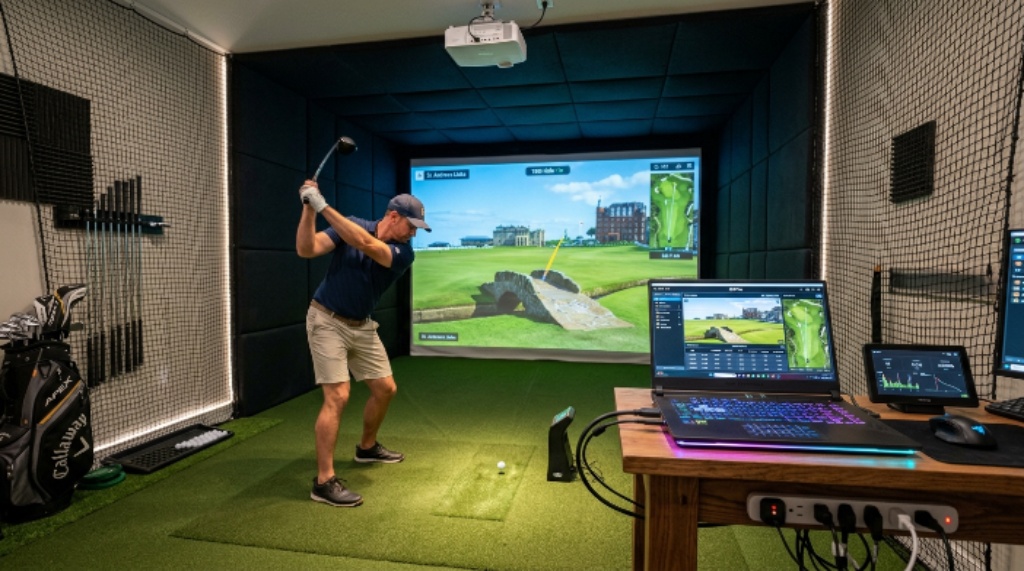
Setting up a golf simulator at home is one of the best investments a golfer can make. You get to practice your swing year-round, track your performance, and play famous courses without leaving the house. However, the experience is only as good as the hardware running it. Choosing the wrong laptop can lead to laggy graphics, slow load times, and a frustrating session rather than an enjoyable one.
This guide helps you find the right laptop for your golf simulator setup in 2026. Whether you are a casual weekend golfer or a serious player chasing a lower handicap, the right machine makes all the difference.
Why Your Laptop Choice Matters for Golf Simulation
Golf simulator software is demanding. Programs like E6 Connect, GSPro, and TGC 2019 render detailed 3D courses in real time. They process shot data from launch monitors and display accurate ball flight within milliseconds. Therefore, your laptop needs enough power to handle all of this simultaneously without dropping frames or stuttering.
A laptop that works fine for browsing or spreadsheets may completely fall apart when running simulation software. Additionally, the hardware inside a laptop is harder to upgrade than a desktop. This means the machine you buy today needs to be powerful enough to last several years.
Understanding Golf Simulator PC Requirements
Before you start shopping, you need to understand the golf simulator PC requirements that matter most. Most popular simulation software lists minimum and recommended specs on their websites. However, minimum specs will only get you a barely playable experience. You should always aim for the recommended specs or higher.
Here is what the major golf simulation programs generally require at a recommended level in 2026:
- Processor: Intel Core i7 or AMD Ryzen 7 (10th generation or newer)
- RAM: 16GB minimum, 32GB preferred
- Graphics card: NVIDIA GTX 1660 Ti or better, ideally RTX 3060 or higher
- Storage: 512GB SSD, with 1TB preferred for multiple course downloads
- Display: 1080p minimum, with 1440p preferred for sharper visuals
- USB ports: At least 3, for connecting a launch monitor, projector, and other accessories
Meeting these specs ensures the software runs smoothly and your courses load quickly. Falling short on any one of these areas can drag the whole experience down.
The Most Important Specs to Focus On
Processor Power
The processor, or CPU, is the brain of your laptop. Golf simulation software relies heavily on the CPU to process physics calculations and render course environments. In 2026, an Intel Core i7 or AMD Ryzen 7 chip from the last two to three years is a strong starting point. However, if your budget allows, stepping up to an i9 or Ryzen 9 will future-proof your setup significantly.
Clock speed matters here. Look for a processor with a boost clock speed of at least 4.0 GHz. Higher clock speeds mean faster data processing and smoother shot rendering.
Graphics Card
This is arguably the most critical component for a golf simulator. The graphics card, or GPU, renders the 3D course visuals you see on screen. A weak GPU will result in choppy animations and low frame rates.
For a solid experience in 2026, look for a laptop with at least an NVIDIA RTX 3060 or AMD Radeon RX 6600M. These cards handle 1080p rendering easily and can manage 1440p with most simulation software. If you plan to run a 4K projector setup, consider an RTX 4070 or higher.
RAM
RAM determines how much data your laptop can handle at once. Golf simulators load large course files and process real-time physics simultaneously. Therefore, 16GB of RAM is the minimum you should accept. If you plan to run other applications in the background, such as a streaming tool or course management software, 32GB is a smarter choice.
Storage Speed and Size
Traditional hard drives are too slow for modern simulation software. Always choose a laptop with a solid-state drive, commonly known as an SSD. An SSD dramatically reduces course load times and speeds up the overall experience.
In terms of capacity, golf simulation software can take up significant space. Some platforms allow you to download dozens of additional courses. A 1TB SSD gives you room to grow without constantly managing storage.
Display Quality
Your laptop display matters more if you plan to use it as your primary screen. Look for a panel with at least 1080p resolution and a refresh rate of 60Hz or higher. However, if you are projecting onto a screen or impact screen, the laptop display becomes less critical. In that case, focus your budget on the GPU and CPU instead.
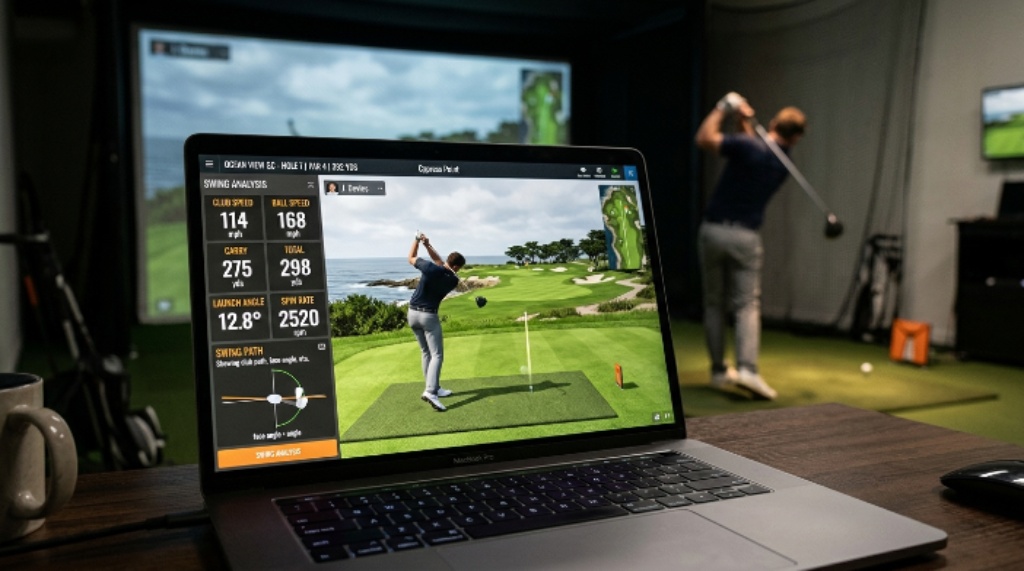
Connectivity and Ports
A golf simulator involves more than just the laptop. You will likely connect a launch monitor, a projector or large display, and possibly external speakers. Therefore, your laptop needs the right ports.
Look for at least one HDMI 2.0 or DisplayPort output for your projector. USB-A ports are important for connecting older launch monitors and accessories. Additionally, a USB-C or Thunderbolt port adds flexibility for newer devices. A stable Wi-Fi connection is also useful for software updates and online course downloads.
Some golfers also connect wireless devices like Bluetooth headsets or game controllers for menu navigation. Make sure Bluetooth 5.0 is included.
Battery Life vs. Performance
Gaming and simulation laptops are notorious for short battery life. When the GPU and CPU run at full power, the battery drains quickly. For a golf sim setup laptop, this is usually not a major concern. Most simulators are used indoors, where a power outlet is always nearby.
However, if portability is important to you, look for a laptop that balances performance with battery efficiency. Some newer AMD-based laptops offer excellent performance per watt, giving you slightly longer sessions away from an outlet.
Operating System Considerations
Most golf simulation software runs on Windows. As of 2026, Windows 11 is the standard. Make sure any laptop you buy comes with a licensed copy of Windows 11 already installed. macOS is generally not supported by the major golf simulation platforms, so Apple laptops are not a practical choice here.
Linux support is also very limited for this type of software. Therefore, stick with Windows to avoid compatibility issues.
Budget Guidelines for 2026
You do not need to spend a fortune to get a great golf simulator experience. Here is a rough breakdown by budget:
- Under $800: You can find laptops with entry-level discrete GPUs and i5 or Ryzen 5 chips. These handle simulation software at low to medium settings.
- $800 to $1,400: This is the sweet spot. You will find RTX 3060 or RTX 4060 laptops with 16GB RAM and fast SSDs. Performance at this level is strong.
- $1,400 and above: Premium territory. Expect RTX 4070 or higher GPUs, 32GB RAM, and faster displays. These machines handle any simulation software at maximum settings with ease.
For most home golf simulator users, the $800 to $1,400 range delivers the best value.
Top Features to Look for at a Glance
When shopping, keep this checklist in mind:
- Dedicated GPU with at least 6GB of VRAM
- 16GB RAM or more
- 1TB NVMe SSD
- HDMI or DisplayPort output
- At least three USB ports
- Windows 11 pre-installed
- Cooling system with dual fans or vapor chamber
Good thermal management is easy to overlook. Golf simulation software pushes the hardware hard for long sessions. A laptop with poor cooling will throttle performance after 20 to 30 minutes. Read reviews and check thermal benchmarks before you buy.
Conclusion
Choosing the right laptop for a golf simulator in 2026 comes down to a few key priorities. The GPU is the most important component for smooth visual rendering. The CPU handles physics and shot data processing. RAM and SSD speed support overall performance and reduce load times. Additionally, the right ports ensure your launch monitor and projector connect without issues.
Understanding your golf simulator PC requirements before shopping saves you from expensive mistakes. Meeting or exceeding the recommended specs for your chosen software guarantees a smooth and enjoyable experience every time you step up to the mat. For most golfers, a well-chosen golf sim setup laptop in the $800 to $1,400 price range will deliver everything needed for years of great simulation play.
Invest wisely, prioritize performance, and your home golf simulator will reward you with countless hours of practice and fun.
Frequently Asked Questions
Can I use a regular laptop for a golf simulator?
A regular office or everyday laptop usually lacks the dedicated GPU needed for simulation software. Golf simulators require significant graphics processing power. Therefore, you need a gaming or workstation-class laptop with a discrete GPU, not an integrated graphics chip.
How much RAM does a golf simulator laptop need?
Most simulation software recommends at least 16GB of RAM. However, if you plan to run streaming software, music, or other programs alongside the simulator, 32GB will give you a noticeably smoother experience.
Does the laptop need to be connected to a projector?
Not necessarily. Some golfers use a large external monitor or even a TV screen. However, a projector and impact screen combination gives the most immersive experience. Just make sure your laptop has an HDMI or DisplayPort output to connect it.
Will a MacBook work with golf simulator software?
Most major golf simulation platforms, including E6 Connect and GSPro, are Windows-only. macOS is not supported. Therefore, a MacBook is not a practical choice for running golf simulation software in 2026.
How long should a golf simulator laptop last?
A well-spec’d laptop purchased in 2026 should handle simulation software comfortably for three to five years. Choosing a machine that exceeds the minimum requirements today means it will still meet the requirements as software becomes more demanding over time.
Related Topics:
How to Find the Best Cordless Power Tools for Your Workshop
How to Test a Golf Putter Before Buying One